IPnutsを置き換えるソフトウェアルータをして
Vyattaというのがあるようなので お試ししてみようと言う流れ
どうやらVMwareでつかえるようなので デプロイしてみる
にあるovfを
VSphereClientからテンプレートデプロイ
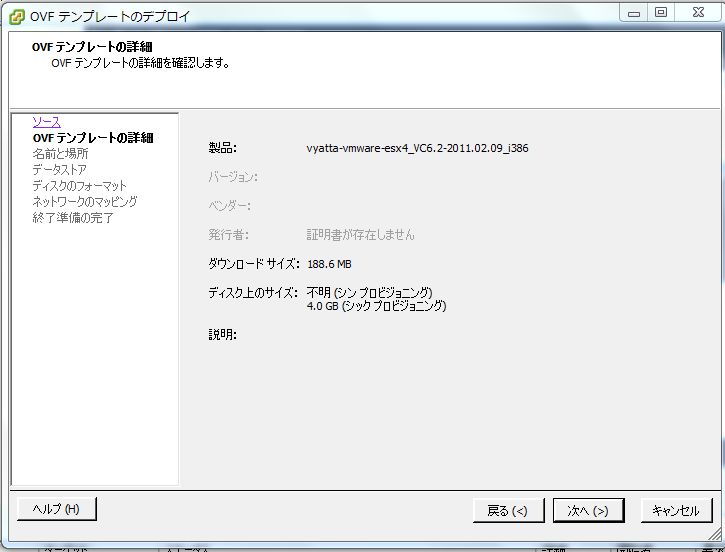

自動で構成されてゆきます。
パソコンを業務用途にも耐えうる高性能ブロードバンドルータにしてしまう「Vyatta」 – GIGAZINE
コマンドからの設定めんどくせぇ・・・この状況から8IPのNat書くのは無茶だな・・・・
IPnutsを置き換えるソフトウェアルータをして
パソコンを業務用途にも耐えうる高性能ブロードバンドルータにしてしまう「Vyatta」 – GIGAZINE
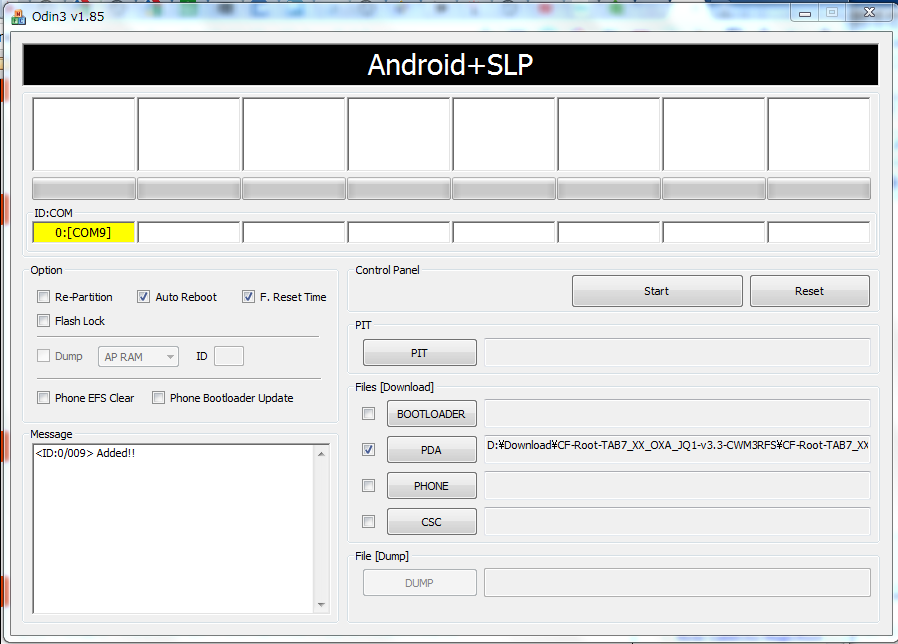
How To Root Samsung Galaxy Tab On Android 2.3.3 Gingerbread
メールボックスを開くと 【重要】データ送信量低減のお願いと帯域制御事前のお知らせ なるメールが。。。 インターリンクは帯域規制特にしていない と思い込んでいたのですが どうやら複数固定IPですら 30GB/dayという … 続きを読む
まず このバージョンのKiesでは 以下のように更新できないっぽいのでとりあえず更新! あっぷでーと アップデートするとMacっぽかったUIが iTunesぽくなりました! アップデートきたあああああ で だめだった・ … 続きを読む
GALAXY SとGALAXY TabがOSバージョンアップ……Andrid 2.3へ | RBB TODAY (ブロードバンド、回線・サービスのニュース) NTTドコモ、GALAXY SとGAL … 続きを読む
■必要なもの
・adbが利用出来る状態のPortable Wi-Fi
「どうすれば利用できるの?」という人は手を出さないこと。
・sshdのバイナリ
dropbearというSSH2 Serverを使います。
バイナリはこちらのフォーラムにある。(要登録)
ttp://forum.xda-developers.com/showpost.php?p=8095069&postcount=91
登録が面倒な人はこちらからどぞ。
ttp://www.megaupload.com/?d=0IEVMLTH
・転んでも泣かない強い心
1. zipの中身をadb.exeが展開されている場所に解凍
今回使うのはdropbearとdropbearkeyの二つのみ
2. ファイルをPortable Wi-Fiへ転送してパーミッション設定
adb remount
adb push dropbear /system/bin/dropbear
adb push dropbearkey /system/bin/dropbearkey
adb shell chmod 755 /system/bin/dropbear /system/bin/dropbearkey
3. ホスト鍵を作成
adb shell
busybox mount -o rw,remount /
mkdir -p /system/etc/dropbear
dropbearkey -t rsa -f /system/etc/dropbear/dropbear_rsa_host_key
4. dropbearを起動
dropbear -A root -C ‘root’ -R /system/etc/dropbear/dropbear_rsa_host_key -U0 -G0
-Cオプションの後ろの文字列が接続パスワードになる
5. 正常に起動しているか確認
・psしてdropbearが起動しているか
・netstatしてport 22をLISTENしているか
tcp 0 0 0.0.0.0:22 0.0.0.0:* LISTEN
公式ページやら 箱への記載は Win7の64Bitは非対応になってますが Welcome to Prolific あたりから 最新版のドライバをこあんにちはして インストールすると・・・ GPSデータが流れてきます。 電 … 続きを読む
Twitterが遂に画像・動画投稿を公式サポート。投稿先のPhotobucketとは? | ひとぅブログ TLにときどき流れていたものの 結局公式でサポートされても クライアントの作者さんが対応してくれないと意味ないので … 続きを読む